HELLO WORLD

Thursday, June 9, 2011

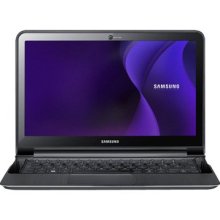
SAMSUNG LAPTOP

Samsung Series 9 900X3A-A03 - Core i5 1.4 GHz - 13.3″ - 4 GB Ram 

 
Samsung R540I JA02 - Core i3 2.4 GHz - 15.6″ - 4 GB Ram - 500 GB HDD
Samsung RF711 S01 - Core i5 - 17.3″ - 4 GB Ram - 500 GB HDD


Samsung RF511 S02 - Core i7 2 GHz - 15.6″ - 4 GB Ram - 500 GB HDD


Samsung RF711 S02 - Core i5 2.3 GHz - 17.3″ - 4 GB Ram - 750 GB HDD

LG COMPUTER

LG XPION 1


LG X120 NETBOOK 


LG LGENV PDA CELLPHONE 1 


KINDS OF COMPUTER CABLES PICTURES


KINDS OF COMPUTER SOFTWARE

HARD DISK DRIVE


A hard disk drive (hard drive or HDD for short) is the long-term memory of a computer. This is where you store documents, music, games and other files while you are not using them.
Internally, hard drives work like a record: there is a spinning platter, and an arm with a "head" that touches different parts of the platter to read from or write to them. On a record, information is stored in the peaks and troughs of a groove; on a hard drive information is stored in the polarity of tiny regions.
Hard disks can store massive amounts of data: the largest drives now store more than 2 terabytes. Unfortunately the design relies on mechanical motion, and therefore is relatively slow and prone to failure. A modern hard disk can access stored information at about 70 megabytes per second.


(RAM) RANDOM ACCESS MEMORY 


Random-Access Memory (RAM) is entirely electronic. The name refers to the fact that this kind of memory can access any information at any time, with equal speed. This is in contrast to memory such as tapes, which have to wind to information, or hard drives, which have to spin to it. RAM is the fastest kind of memory, and is used to feed information to the CPU "brain" of the computer. Programs or documents are stored in RAM only while they are being used, like the short-term memory in a human brain.
In RAM, information is stored in the state of thousands of electronic circuits or capacitors. This structure allows RAM to access information at speeds up to 3,200 megabytes per second. The information disappears without a power supply however, making this "volatile" memory.


FLASH MEMORY 


Flash memory is a kind of Random-Access Memory that is non-volatile, that is to say it is stable even without power. Flash memory stores information in thousands of floating-gate transistors, each with a changeable resistance to electric current. Though not as fast as RAM, flash memory has the advantage of being incredibly durable. Memory cards can survive all sorts of rough handling, and even immersion in water. This makes flash memory perfectly suited for portable uses such as "thumb drives," camera memory and MP3 players. Flash memory is relatively slow; high speed flash memory can still only read 22 megabytes per second.


TAPE DRIVES 

Many computers use tape as a storage medium. Tapes look and function just like audio cassettes: there is a spool of magnetic ribbon, and information is stored in the changing polarity of the ribbon. Tapes are used almost exclusively by large organizations for long-term, stable storage. While hard drives are prone to mechanical problems, and RAM needs a constant power supply, tapes can sit in a closet for years and retain the same information. The drawback is that a tape must spool (fast-forward or rewind) to the desired data before reading it, taking considerable time. Once the correct part of the ribbon has been found, tapes can transfer information just as quickly as any modern hard drive, however. 


CD ROM MEMORY 


CDROM stands for Compact Disk Read-Only Memory, and it remains a popular format for portable storage. CDROM disks are read in much the same manner as a record (or a hard drive): they are spun, and a laser light reads the peaks and troughs in the aluminum surface of the disk. CDs have reasonable durability, but speeds are extremely slow compared with other kinds of memory. The fastest CDROM drives on the market read at less than 8 megabytes per second. 


INTERCHANGABILITY

One of the most confusing things about computer memory is that it can be largely interchangeable. It is possible to use RAM as a hard drive, or a hard drive as portable storage, and in specialized situations this is even common. For example, some new laptops now use flash memory instead of a hard drive. These "solid state drives" are much more durable than traditional hard drives, but transfer speeds are slower. Many companies manufacture external hard drives, which really are hard disk drives in a case, acting as if they were flash memory.  
TYPES OM COMPUTER HARDWARE

COMPUTER HARDWARE- Computer hardware is a physical part of a computer that executes within the hardware.

Computer hardware is a physical part of a computer that executes within the hardware. It is unlike computer software or data that can be frequently changed, modified or erased on a computer. Computer hardware is not frequently changed and so is stored in hardware devices such as read only memory (ROM) where it is not readily changed.

Most computer hardware is embedded and so is not visible to normal users. Below are the different types of hardware’s found in a computer.

-- Motherboard: It is the central or primary circuit board making up a complex electronic system such as a computer. A motherboard is also known as a main board, logic board or system board.
-- Central processing Unit: A CPU is the main component of a digital computer that interprets instructions and process data in computer programs.
-- Random Access Memory: A RAM allows the stored data to be accessed in any order. RAM is considered as the main memory of the computer where the working area is used for displaying and manipulating data.
-- Basic Input Output System: BIOS prepares the software programs to load, execute and control the computer.
-- Power Supply: Power Supply supplies electrical energy to an output load or group of loads.
-- Video Display Controller: It converts the logical representation of visual information into a signal that can be used as input for a display medium.
-- Computer Bus: It is used to transfer data or power between computer components inside a computer or between computers.
-- CD-ROM drive: It contains data accessible by a computer
-- Floppy disk: It is a data storage device
-- Zip Drive: It is a medium capacity removable disk storage system.
-- Hard Disk: It is a non-volatile data storage system that stores data on a magnetic surface layered unto hard disk platters.
 

FIRST COMPUTER IS ABACUS

The abacus, also called a counting frame, is a calculating tool used primarily in parts of Asia for performing arithmetic processes. Today, abaci are often constructed as a bamboo frame with beads sliding on wires, but originally they were beans or stones moved in grooves in sand or on tablets of wood, stone, or metal. The abacus was in use centuries before the adoption of the written modern numeral system and is still widely used by merchants, traders and clerks in Asia, Africa, and elsewhere. The user of an abacus is called an abacist.

PICTURE OF ABACUS


HISTORY OF COMPUTER

The development of the modern day computer was the result of advances in technologies and man's need to quantify. Papyrus helped early man to record language and numbers. The abacus was one of the first counting machines..
Some of the earlier mechanical counting machines lacked the technology to make the design work. For instance, some had parts made of wood prior to metal manipulation and manufacturing. Imagine the wear on wooden gears. This history of computers site includes the names of early pioneers of math and computing and links to related sites about the History of Computers, for further study. This site would be a good Web adjunct to accompany any book on the History of Computers or Introduction to Computers. The "H" Section includes a link to the History of the Web Beginning at CERN which includes Bibliography and Related Links. Hitmill.com strives to always include related links for a broader educational experience. The material was originally divided into Part 1 & Part 2